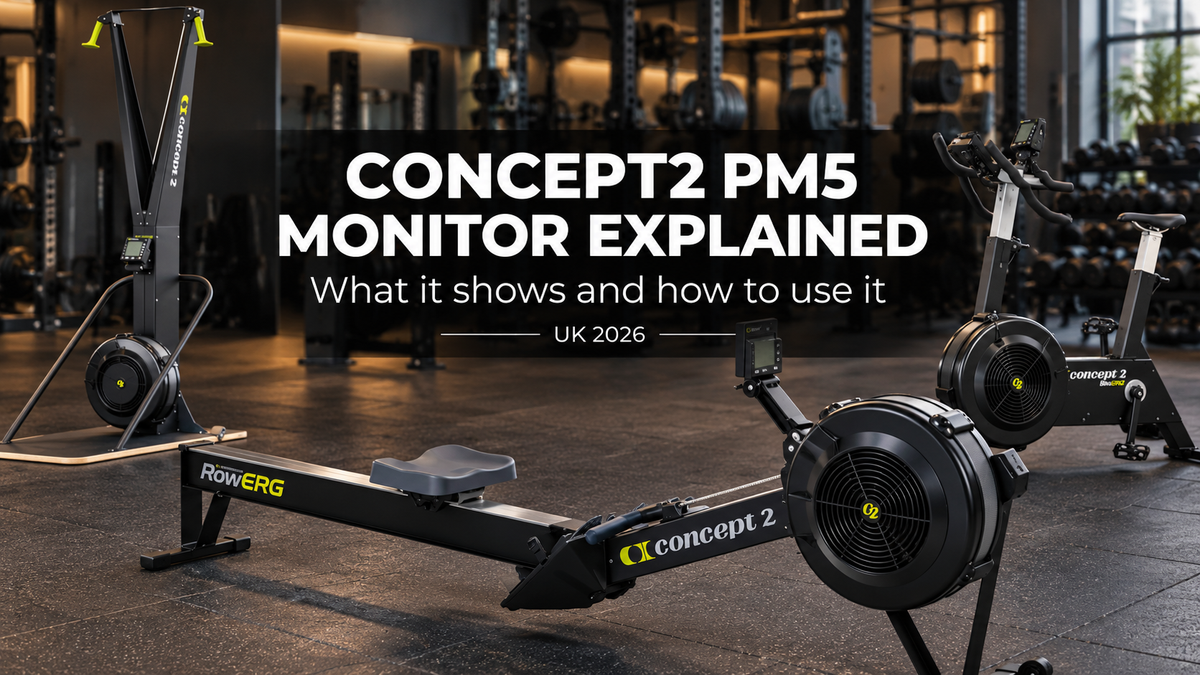

Concept2 PM5 Monitor Explained (2026): What It Shows and How to Use It

The PM5 is the performance monitor fitted to every Concept2 RowErg, SkiErg and BikeErg. It turns the flywheel's movement into pace, watts, calories and distance, and it measures your effort on the same consistent principles on every Concept2 machine.
The short answer: you do not choose or pay extra for a PM5. It comes on all three Concept2 machines we sell, from £909 for the SkiErg to £1,289 for the BikeErg. It runs on two D-cell batteries topped up by the flywheel, so it needs no socket, and it connects to heart rate straps and apps over Bluetooth and ANT+. What matters is learning three things: the Units button, the drag factor screen and how to save your sessions.
Key takeaways
- The PM5 is standard on every Concept2 erg. The RowErg, SkiErg and BikeErg all use it and measure effort on the same principles, but pace, distance and results are not interchangeable between the three machines.
- It needs no mains power. Concept2 says the PM5 takes two D-cell batteries and draws power from the spinning flywheel to extend battery life.
- It shows pace per 500m, watts, calories and calories per hour. One press of the Units button cycles between them during a workout.
- Heart rate works over Bluetooth Smart or ANT+. Concept2 lists Polar GymLink equipment as not supported on the PM5.
- Firmware updates need a computer. Concept2 says updating requires a computer, its free Concept2 Utility and a USB cable.
What is the Concept2 PM5 monitor?
It is the computer on the arm of every current Concept2 machine. Concept2 describes it as providing "reliable, comparable data", and it powers up and starts showing figures as soon as the flywheel spins, with no button to press first.
The PM5 measures how quickly the flywheel slows between strokes and uses that to calculate your true effort. That is why the damper lever changes how the machine feels without changing what your work is worth on the screen.
It also stores sessions, runs preset and custom workouts, connects wirelessly to straps and apps, and supports wired racing between machines.
What does the PM5 measure and show?
Distance, time, pace, watts and calories, shown in five layouts: all data, force curve, bar chart, large print and a pace boat. Concept2's guide to PM5 units explains the intensity units.
| Unit | What it tells you | Read it as |
|---|---|---|
| Pace per 500m | How long it takes to row or ski 500 metres | Lower is faster |
| Watts | Your power output | Higher is more power |
| Calories | Total Calories burned in the session | Calculated for a 175lb (79kg) person |
| Calories per hour | Your current rate of Calorie burn | Useful for steady efforts |
Press the Units button during a workout or while viewing results, and the PM5 moves to the next unit each time. Because the Calorie figure assumes a 175lb person, treat it as a comparison between your own sessions rather than an exact personal burn.
Is the PM5 the same on the RowErg, SkiErg and BikeErg?
Yes. All three machines use the PM5, with the same menus and the same measurement principles, which is why gyms standardise on the range. The results are not interchangeable, though: a pace, distance or test score on the RowErg is not equivalent to the same figure on the SkiErg or BikeErg, so compare each machine's results only with results from the same machine.
The machines do differ in drag factor, the PM5's measure of how much air the flywheel moves. Concept2 gives these typical ranges for a new machine at sea level:
| Machine | Drag factor at damper 1 | Drag factor at damper 10 | Calibration | Our price |
|---|---|---|---|---|
| Concept 2 RowERG | About 90 or less | 200 or more | Recalculated every stroke | From £1,095 |
| Concept 2 SkiERG | About 55 or less | 150 or more | Recalculated every pull | From £909 |
| Concept 2 BikeERG | About 45 or less | 225 or more | Needs occasional calibration | From £1,289 |
Ranges are from Concept2's viewing drag factor guide. The menus and buttons are the same on all three, so anyone who can use one Concept2 monitor can use the others.
Each machine has its own buying guide: the RowErg standard vs tall legs guide, the SkiErg floor stand vs wall mount guide and the BikeErg buyer's guide.


How do you start a workout on the PM5?
Start moving and the PM5 wakes up. From the main menu you then choose between Just Row (Just Ski on the SkiErg), Select Workout, Connect, Memory and More Options, according to Concept2's PM5 how-to guide.
- Just Row or Just Ski: start straight away and the monitor records whatever you do.
- Select Workout: set a distance, a time, or intervals by time, distance or a variable mix.
- Memory: review past results stored on the monitor.
- More Options: settings, including the drag factor display.
Favourite workouts can be saved so a regular session is two presses away. Concept2 notes that monitors on older firmware may show different menus, which is one reason to keep the firmware current.
How do you check the drag factor on a PM5?
Three steps, taken from Concept2's own instructions:
- On the main menu, select More Options.
- Select Display Drag Factor.
- Begin rowing, skiing or riding; the PM5 shows the drag factor after a few seconds.
Check it when you set up a new machine, after cleaning the flywheel housing, and whenever a session feels heavier or lighter than usual at the same damper position. Which number to aim for is covered in our Concept2 damper setting guide.
Which heart rate monitors work with the PM5?
Chest straps that transmit over Bluetooth Smart or ANT+. Concept2's heart rate compatibility table marks both as supported on the PM5, along with Suunto ANT straps and the Suunto Smart Sensor.
Concept2 lists Polar GymLink and Polar W.I.N.D. equipment as not supported on the PM5, although older Concept2 monitors could use GymLink with a cable or receiver. If you already own a strap, check which technology it transmits before relying on it.
Heart rate is the most useful second number on an erg. The NHS recommends at least 150 minutes of moderate or 75 minutes of vigorous activity a week, and a strap shows which of the two a session actually was.
Which apps connect to the Concept2 PM5?
Concept2's own ErgData app, on iOS and Android, plus what Concept2 calls "a large number of apps". Its apps directory lists options including Kinomap, ErgZone, asensei, LiveRowing, RowPro and Remote Rowing Coach.
ErgData links the monitor to the Concept2 Online Logbook, which records RowErg, SkiErg and BikeErg sessions, tracks total metres and lets you rank your best results against other users worldwide, with separate rankings for each machine. The PM5 also stores sessions in its own memory or on a USB flash drive formatted FAT or FAT32.
The PM5 has four built-in games as well: Fish Game, Darts, Target Training and Biathlon. They are a simple way to get a reluctant member of the household onto the machine.
Does the PM5 need batteries or a power socket?
Batteries, not a socket. Concept2's PM5 overview says the monitor takes two D-cell batteries and draws power from the spinning flywheel during workouts to extend battery life.
That makes a Concept2 easy to place. A garage, an outbuilding or the middle of a gym floor all work without running a lead, which is not true of a stepmill, a treadmill or most console-driven bikes.
If the display stops waking up reliably, replace both batteries before assuming a fault. The backlight comes on automatically when the monitor powers up.
How do you update the PM5's firmware?
With a computer. Concept2's firmware page states that "updating firmware requires a computer, our free Concept2 Utility and a USB cable", and recommends running the most current firmware available.
The same USB port connects the PM5 to a computer for uploading workouts to the Online Logbook. On a commercial floor, add a firmware check to the routine inspection list so every machine shows the same menus.
Can you add a PM5 to an older Concept2?
Concept2 offers PM5 retrofits for several older indoor rowers, including the Model D, Model E and Dynamic, according to its retrofit page. Older models such as the Model C and Model B need a kit with mounting hardware.
We sell complete Concept2 machines with the PM5 already fitted, rather than the monitor on its own. If you are weighing up a retrofit against a new machine, call us on 0333 880 3211 and we will tell you what we can supply.
Is the PM5 suited to a commercial gym?
Yes, and the monitor is a big part of why Concept2 is so common on commercial floors. Every machine reports the same way, members can race each other over a wired connection, and there is no touchscreen or mains supply to fail.
Demand for this kind of training is growing. Sport England's Active Lives survey for November 2024 to November 2025 counted 15.3 million adults in England taking part in fitness activities, up 921,000 on the previous year.
For a floor of ergs, set every machine to the same drag factor and keep the firmware level. Our commercial cardio floor plan guide covers how many machines a gym needs, and our RowErg vs BikeErg vs SkiErg guide covers which mix to buy.


How are Concept2 machines delivered?
Free UK delivery on the Concept 2 RowERG, SkiERG, BikeERG and The Concept 2 Triple. Orders are dispatched within 5 working days, with tracking emailed within 24 hours of dispatch, and delivered across UK mainland by our delivery partners. We do not deliver to Northern Ireland.
You can choose courier delivery to self-assemble, pre-assembled delivery, or full installation arranged on site, quoted separately before ordering. The PM5 arrives with the machine, so there is nothing extra to order.
Choosing a Concept2?
Tell us how you train, who will use the machine and the room it is going in, and we will recommend the right Concept2. Free UK mainland delivery on orders of £250 or more. Business finance through Vercas Financial for UK limited companies and partnerships of four or more partners on orders of £5,000 or more.
Shop Concept2 machines → Call 0333 880 3211on orders of £250 or more Commercial-grade kit
Concept2, StairMaster, Jordan Finance available
business & commercial Rated by UK buyers
read our reviews
Frequently asked questions
Can I buy a Concept2 without the PM5, or with a cheaper monitor? No. Every Concept2 RowErg, SkiErg and BikeErg we sell comes with the PM5 fitted, and there is no lower-specification display option. The price you see on the product page already includes it, from £909 for the SkiErg without floor stand to £1,289 for the BikeErg.
Will my Apple Watch or wrist heart rate monitor connect to the PM5? Concept2's compatibility table covers transmission technologies rather than individual watches. The PM5 supports Bluetooth Smart and ANT+, so a device that broadcasts heart rate over one of those may work. A Bluetooth Smart or ANT+ chest strap is the dependable choice; Polar GymLink equipment is not supported.
Why does my PM5 show a different pace from my friend's machine at the same damper setting? Pace reflects your effort, not the damper. If the two of you produce the same power, the PM5s show the same pace. What can differ is the feel: dust in the flywheel housing or a different elevation changes the airflow, so the same damper number gives a different drag factor. Compare drag factors, not damper numbers.
How accurate are the PM5's calorie figures? Concept2 calculates them for a 175lb (79kg) person, so they will be high for a lighter user and low for a heavier one. Use the Calorie figure to compare your own sessions over time. Concept2 offers a separate calorie calculator for a body-weight-adjusted figure.
Does the PM5 save my workouts? Yes. It stores results in its internal memory, can save to a FAT or FAT32 USB flash drive, and syncs with the ErgData app, which links to the Concept2 Online Logbook. The free Concept2 Utility can also upload stored workouts from a Mac or PC.
Is the PM5 hard to use for beginners? No. It switches on when you start moving, so a beginner can just row, ski or ride and see their figures straight away. Structured workouts take a few presses through Select Workout. If you are buying for a family or a gym, the built-in games are a gentle way to introduce new users.
Get more guides like this
Join the Pro Gym Essentials list for equipment buying guides, spec comparisons and offers we don't publish on the site.
No spam. Unsubscribe any time.
Pro Gym Essentials — premium home and commercial gym equipment, delivered across UK mainland. Prices and delivery taken from our live product pages, 15 October 2026; PM5 features, drag factor ranges, heart rate compatibility, apps, firmware and retrofit information checked against Concept2's current support pages, 15 October 2026; participation figures from Sport England Active Lives (2024/25); activity guidance from the NHS.